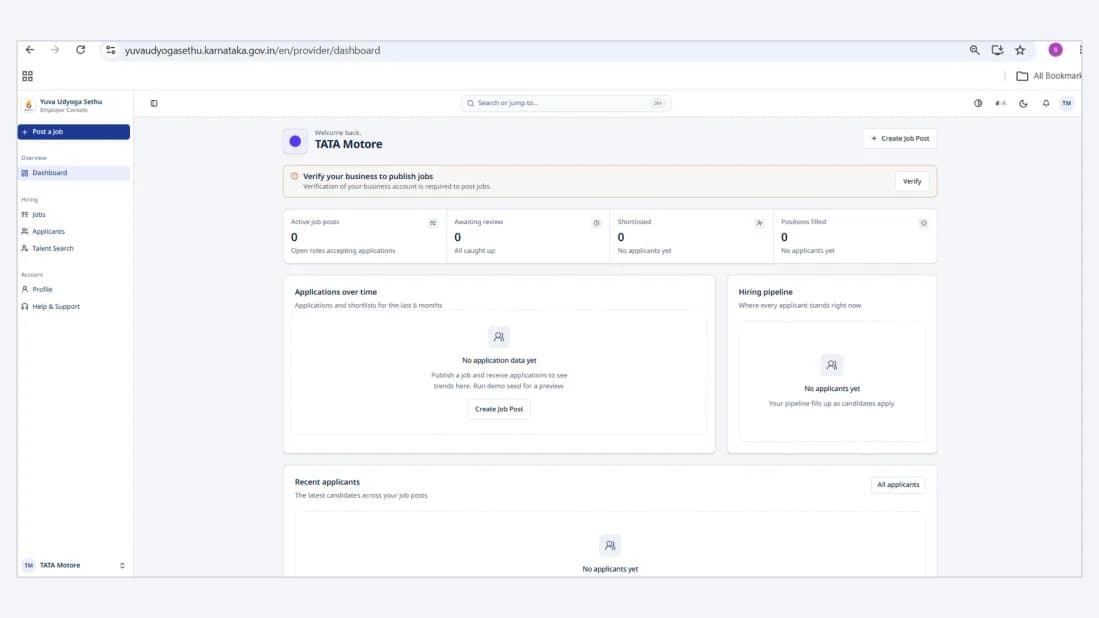
Employer User Guide
Yuva Udyoga Sethu – Government of Karnataka
Portal address: yuvaudyogasethu.karnataka.gov.in
Download PDF1. Open the Portal
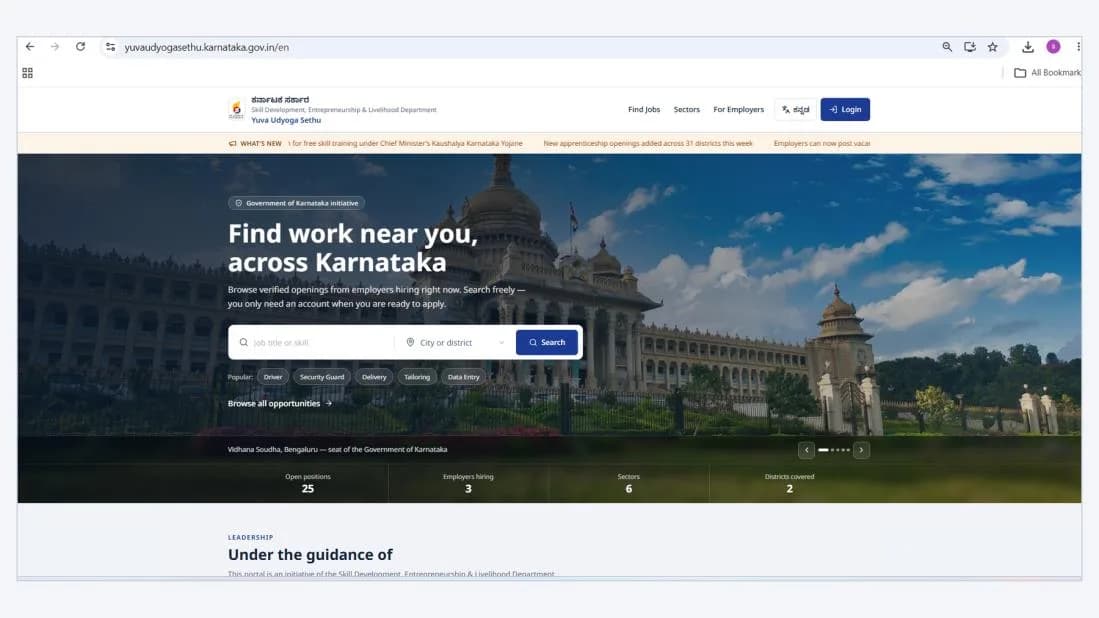
- Open the Yuva Udyoga Sethu portal using the link above.
- On the homepage, click For Employers (Login) at the top-right corner.
2. Enter Your Mobile Number
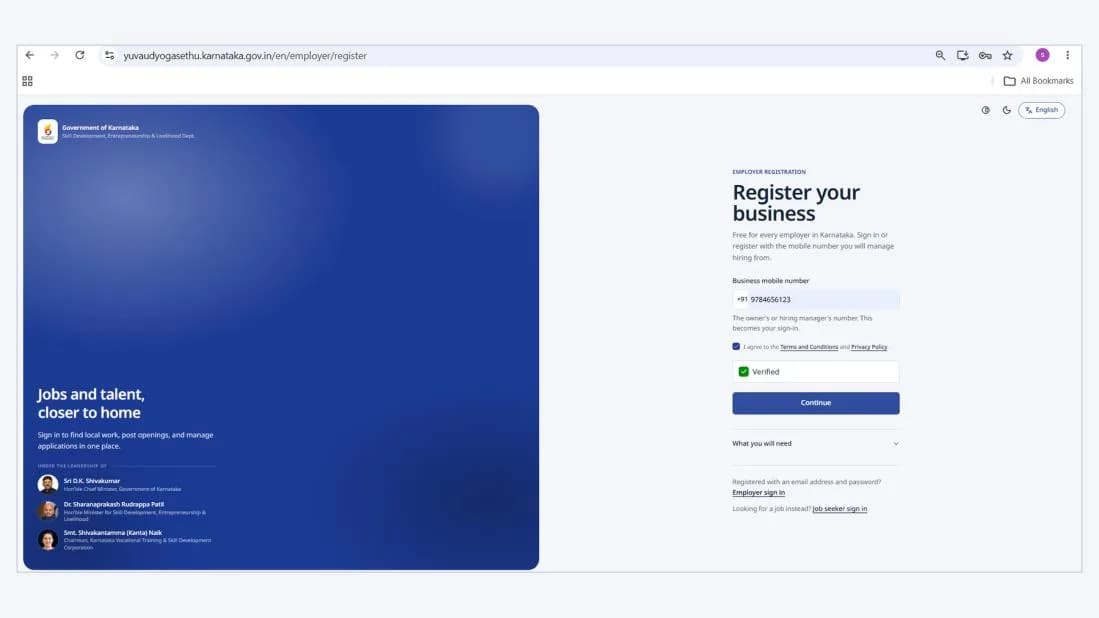
- Enter your 10-digit mobile number in the Mobile Number field.
- Confirm that the number is correct and active, as the OTP will be sent to it.
3. Verify Your Number
- Complete the on-screen verification.
- Click Get OTP. A 4-digit OTP will be sent to your mobile number.
- Enter the OTP received on your registered mobile number to sign in.
After a successful login, you can access your employer profile and complete the setup below.
4. Complete Your Business Profile
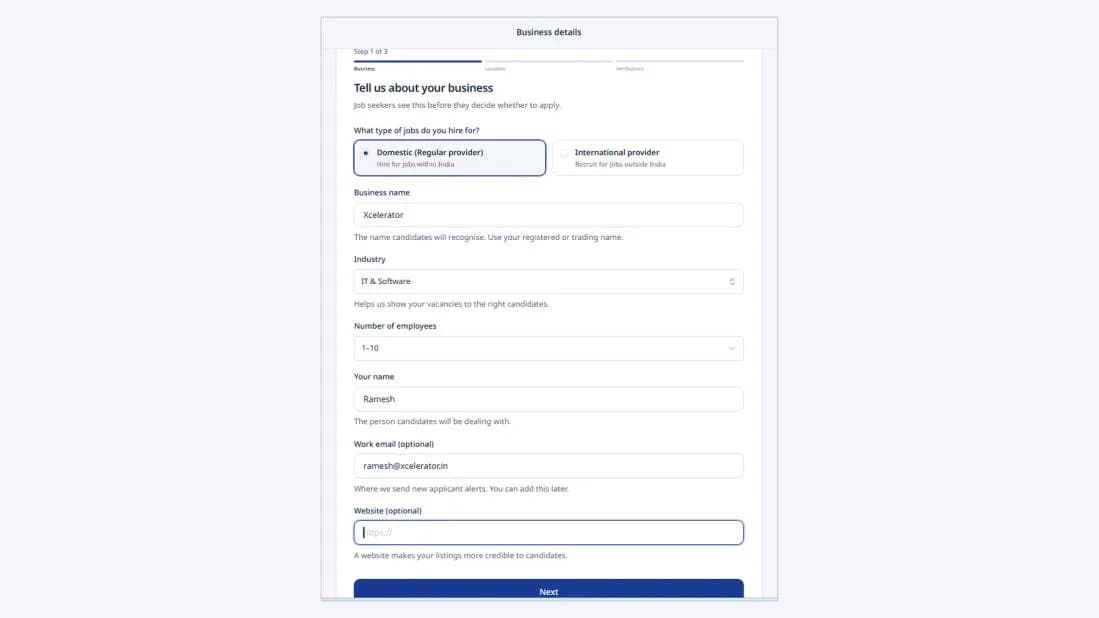
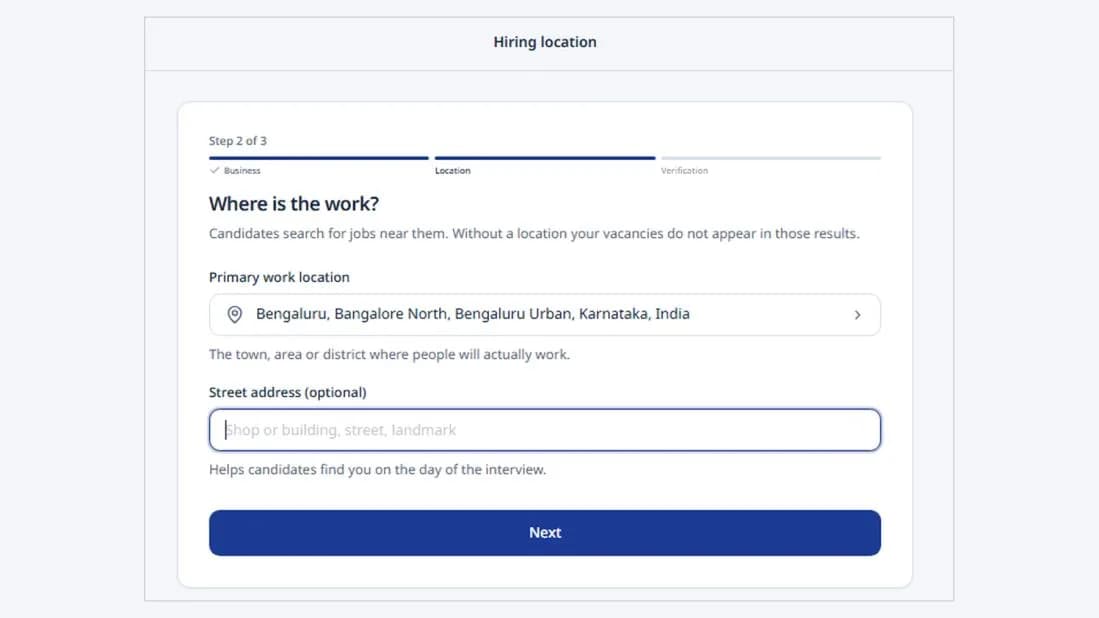
The profile is completed in three steps.
Step 1 – Business details. Select the employer type, then enter your business name, industry, number of employees and contact details.
Step 2 – Work location and address. Enter the primary work location and, optionally, the street address, so that candidates can find your vacancies.
Step 3 – Business verification. Verify your business using your GSTIN or CIN, then click Submit for verification.
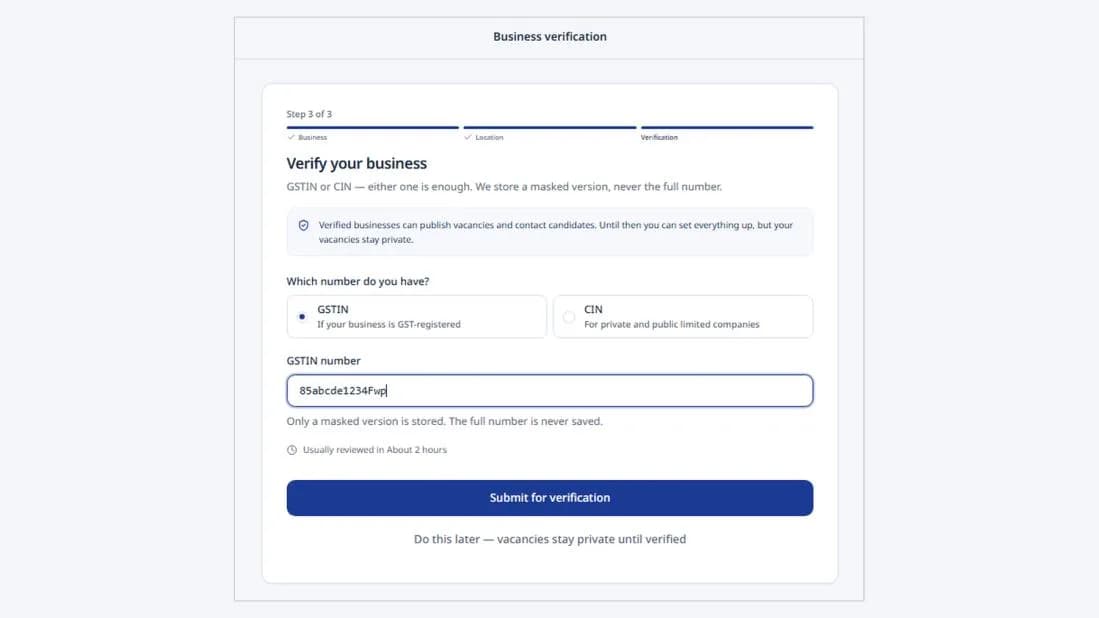
Note: Vacancies remain private until your business has been verified.
5. Explore Your Dashboard
Once all steps are complete, you will be redirected to your Dashboard. The navigation menu on the left-hand side provides the following sections:
- Home – Access the main dashboard and overview.
- Jobs – Post, view and manage job opportunities.
- Applicants – View and manage applicant information.
- Profile – View and update your profile details.
- Help & Support – Get assistance with any queries or issues.